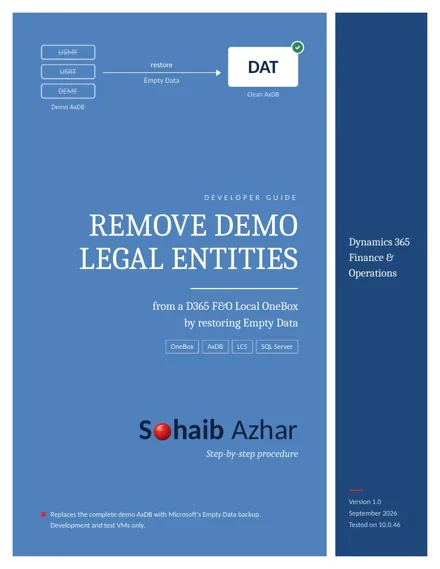
Every downloadable D365 F&O VHD ships with the Contoso demo companies: USMF, USRT, DEMF and many more. They are useful for learning, but once you start building your own setup they get in the way. Every company lookup, every report parameter and every test is full of data you don't need.
The tempting fix is to delete them with SQL. Don't.
Why deleting companies with SQL fails
A legal entity is not one row. Its data is spread across hundreds of related tables, and posted transactions block deletion at the application level. Removing rows by hand leaves the database inconsistent, and you usually find out later, during a sync or in a form that suddenly throws errors.
The cleaner route: replace the database
Microsoft publishes two starting datasets for Finance and Operations. Demo Data comes preinstalled on the VHD. Empty Data is a SQL Server backup with the D365 schema and the required base records, but no Contoso companies. Restoring Empty Data over AxDB gives you a database where only the default DAT company exists.
The procedure in short
- Check that the Empty Data version in LCS matches your VM exactly, for example both 10.0.46.
- Back up the current AxDB first. This is your rollback point.
- Stop IIS and the batch service so SQL Server gets exclusive access.
- Restore AxBootstrapDB_Empty.bak over AxDB, keeping the existing file locations.
- Repair the axdbadmin database user. The backup doesn't include the OneBox user mapping, and without it the application can't connect.
- Synchronize the database, provision your administrator, start the services and sign in.
The step people miss most often is the axdbadmin repair. The server login still exists after the restore, but the database user has to be created or remapped:
USE AxDB;
IF DATABASE_PRINCIPAL_ID(N'axdbadmin') IS NULL
    CREATE USER [axdbadmin] FOR LOGIN [axdbadmin];
ELSE
    ALTER USER [axdbadmin] WITH LOGIN = [axdbadmin];
ALTER ROLE [db_owner] ADD MEMBER [axdbadmin];
Check the result
One query confirms it worked. It should return a single row, DAT:
SELECT ID, NAME FROM AxDB.dbo.DATAAREA ORDER BY ID;Keep DAT. It is required in an Empty Data environment. Create your own legal entities next to it, then take a clean backup so you can return to this state any time.
This is a practical workaround for disposable development and test VMs, not a Microsoft-supported path. Never run it on production.
The full guide covers every step with screenshots, the exact restore script, certificate handling and the rollback procedure.